SummaryFree
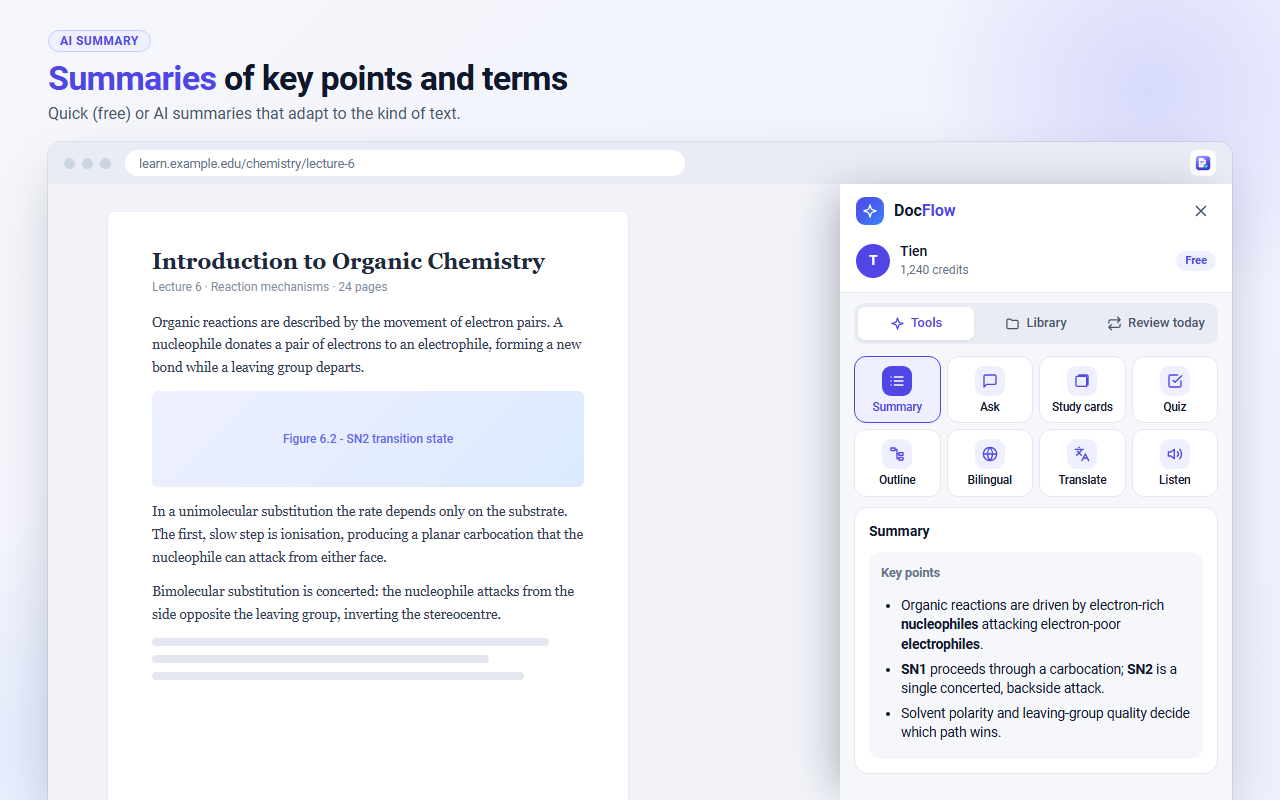
Key points and terms. Quick is free; AI gives a deeper summary.
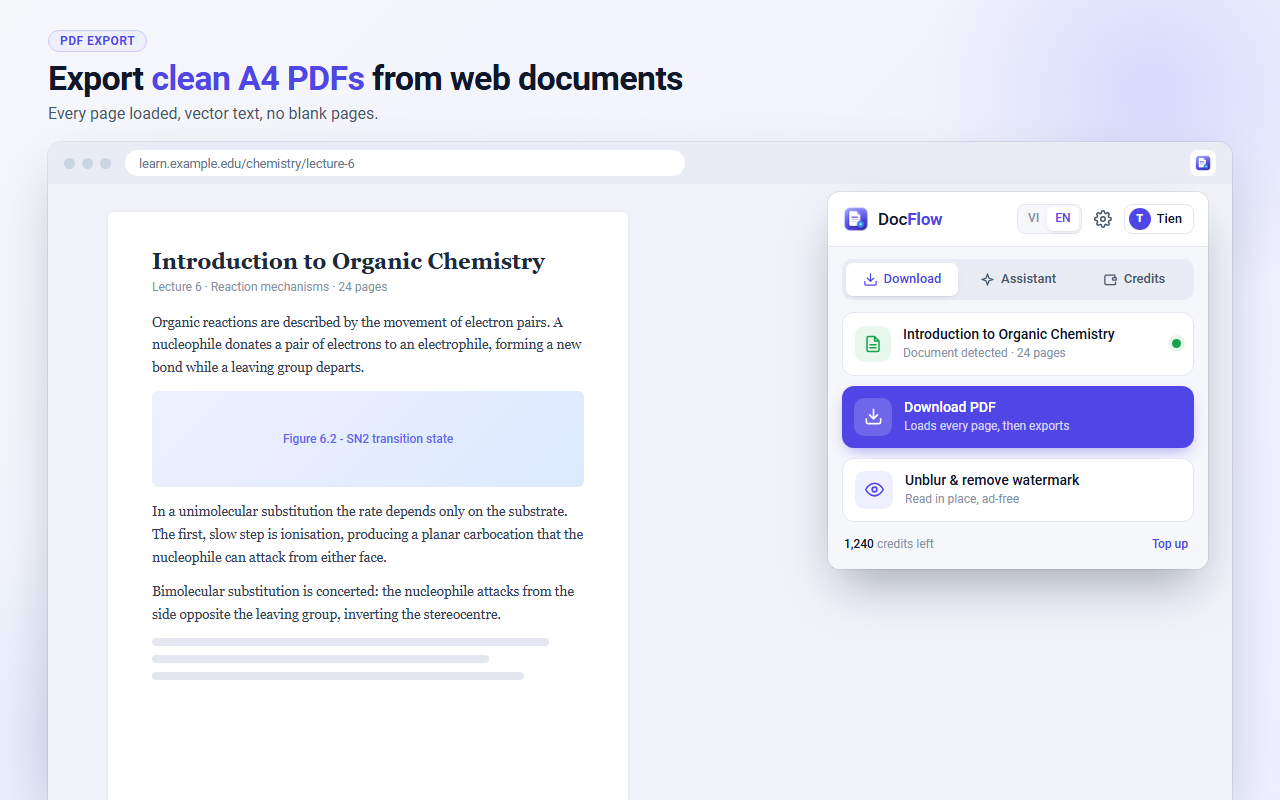
DocFlow exports webpages and articles as tidy A4 PDFs, with every page loaded. Then summarize, quiz yourself, make study cards and listen, all from one panel.
Many sites load the next part of a page only when you scroll, so a normal print leaves blank sheets. DocFlow scrolls through the page first, then exports it at A4 size with selectable text.
Use them on the page you are reading. The Quick summary is free. The AI tools use credits, and the panel shows the cost before each run.
Key points and terms. Quick is free; AI gives a deeper summary.
Ask questions and get answers from the page you have open.
Flashcards built from the page, saved to your library.
Multiple-choice questions, each with an explanation.
A structured outline of the text, section by section.
The original and a translation side by side.
Translate the text into the language you choose.
Read aloud with natural AI voices, at the speed you choose.
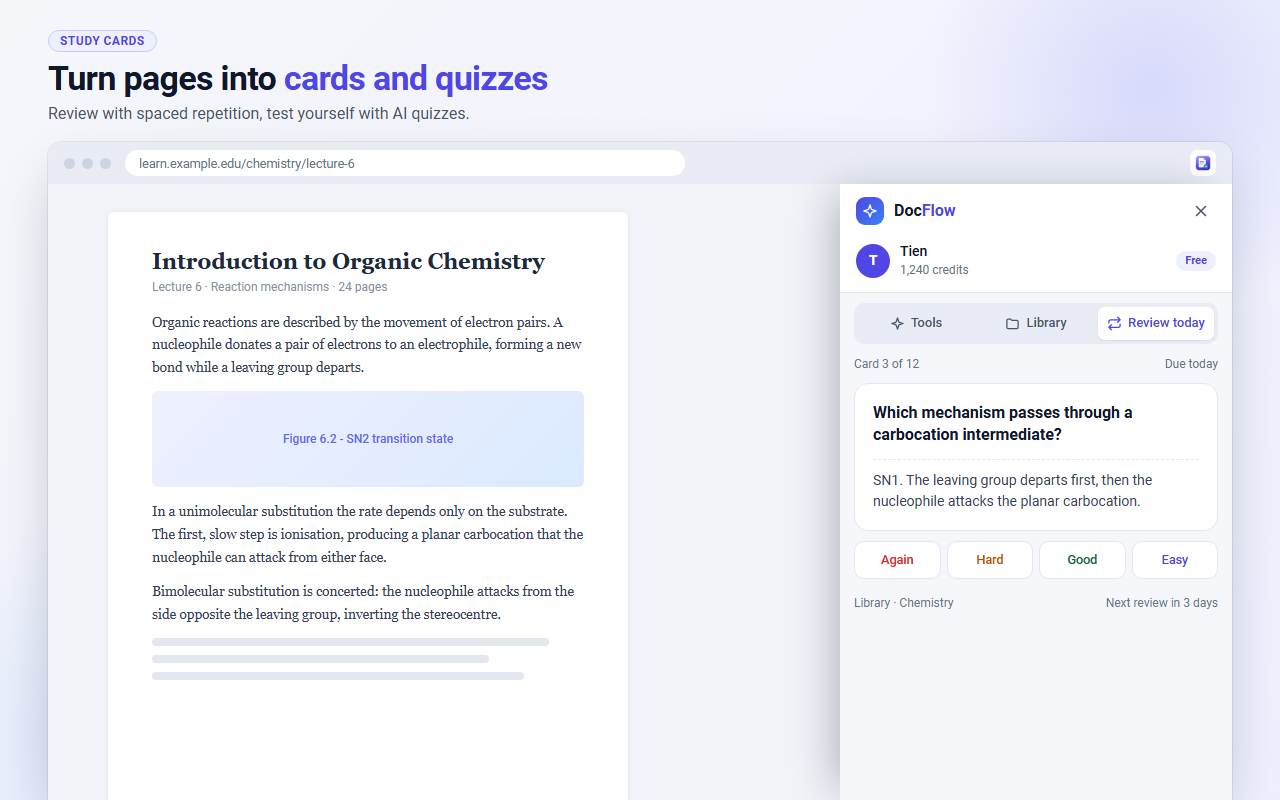
Save summaries, cards, quizzes and notes to your library. Review today lists the cards that are due, and you rate each one Again, Hard, Good or Easy. The next review date follows from your rating.
Select a paragraph and a small toolbar appears next to it. Translate, explain or listen without leaving the page. You can turn the toolbar off in the settings.
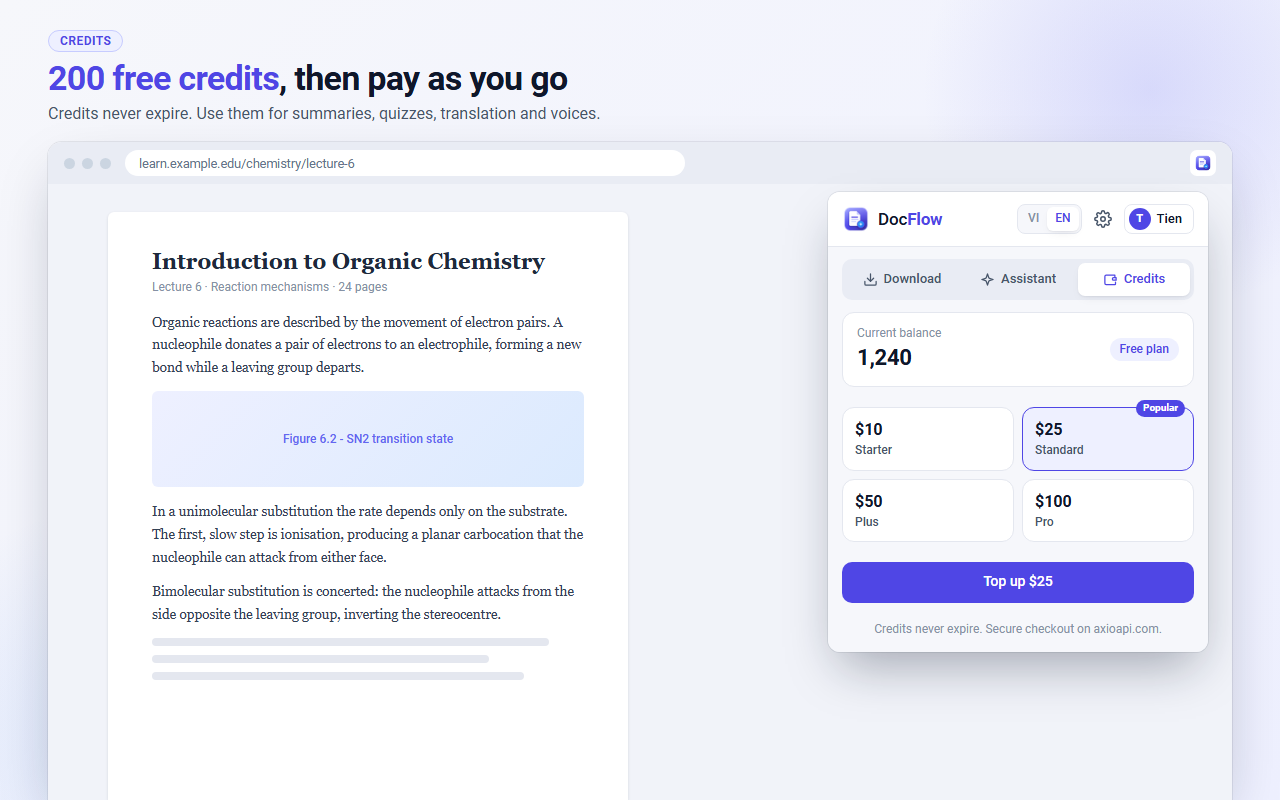
Sign in to get 1,000 free credits. PDF export is free, and AI tools show their credit cost before they run. Credits never expire, and you top up on axioapi.com with the payment methods you already use there.
Step-by-step guides with checks you can follow, written for students and readers.

Save a webpage as a PDF without blank pages or cut-off text. Chrome print steps, Mac, iPhone and Android, and a one-click method for long pages.

Summarize an article with AI in a few clicks. Learn what a good summary contains, how to check it against the source, and when to use a free summary.

Turn any article or lecture page into a multiple-choice quiz with AI. Write good questions, check the answers, and review with flashcards each day.

Listen to any article with natural AI voices in Chrome. Choose a voice, adjust the speed, listen to a selected paragraph, and save time on the commute.

A practical study workflow with AI tools: save, summarize, quiz, review and listen. Compare tool types and build a routine that fits a busy week.
No. Exporting PDFs is free. The AI tools use credits, and you get 200 free when you sign in.
Any page you can open in Chrome: articles, document pages and most websites. A page that needs a login may refuse to print, because the site blocks it.
The page text is sent to our servers only when you use an AI tool. The privacy policy lists what is stored and for how long.
No. Credits stay on your account until you use them.
DocFlow is a desktop Chrome extension. Your library and daily review are on this site, so you can open them from any device.
DocFlow is built by AxioAPI, a team that also runs APIs for developers. Read the privacy policy and terms before you install, and install only from the Chrome Web Store.
Install DocFlow, then sign in with Google to get :bonus free credits.
1-click install from Chrome Web Store